
30.2 Manual creation of procedures
There are several ways to create procedures and insert procedure calls. We start with the manual approach where an (empty) Procedure node is inserted, and then the corresponding actions are moved into it. Then we will create the corresponding procedure call.
It is good to know these basic steps. However, there is a second, more elegant way to create procedures, which we will show afterwards.
So let's insert a procedure by hand: We begin by creating the Procedure node and giving it a suitable name.
- Action Open the Procedure node and make sure it is selected (highlighted in blue).
- Choose »Insert«-»Procedure node«-»Procedure«.
- Enter "reset" as the name. The other fields do not need to be filled in.
- Press OK to complete creation of the procedure.
- Open the newly created "reset" procedure.
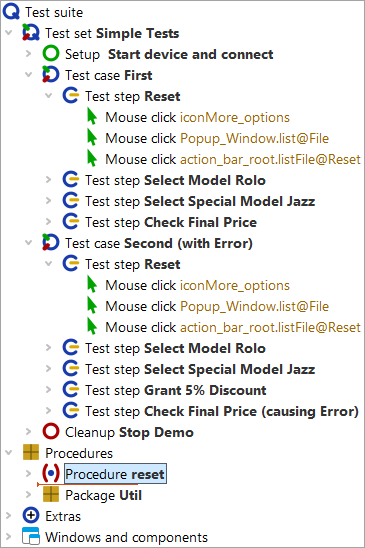
In the second step we fill the procedure with the corresponding reusable actions.
- Action Select the three "Mouse click" nodes in the test step. To select more than one node, click the first node, then press the Shift key and click the last of the nodes to be selected while keeping the Shift key pressed.
- Move them down into the procedure, e.g. with the mouse (drag and drop) or via cut/paste in the »Edit« menu or via the context menu.
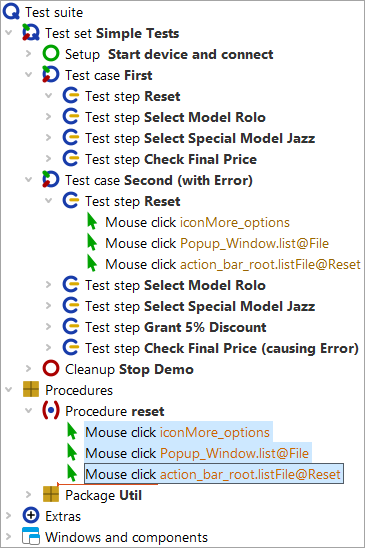
In the third step we insert a procedure call in place of the three moved mouse clicks.
- Action Select the "Reset" test step, which should be open.
- Choose the menu »Insert«-»Procedure node«-»Procedure call« or use the keyboard shortcut Ctrl+A.
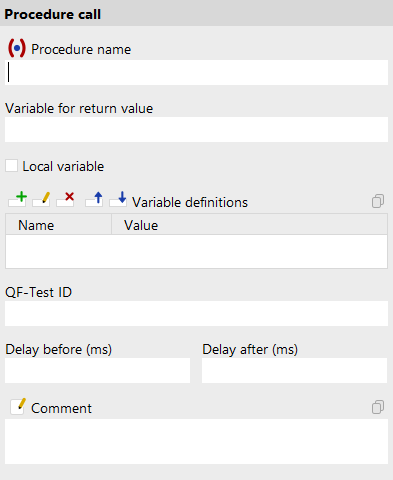
- Action
Press
the procedure selection button
 in the dialog to the left of the label
"Name of the procedure".
in the dialog to the left of the label
"Name of the procedure".
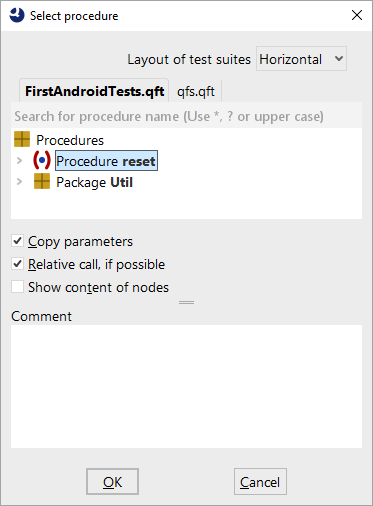
- Select "reset" from the procedure list. No further input is necessary.
- Press OK in both dialogs to complete creation of the procedure call.
To really gain value from the procedure, we now need to replace the content of the test step in the second test case with a call to the "reset" procedure as well.
You can do this as described above or perform the following alternative steps to create the procedure call:
- Action Open the 'Reset' test step of the second test case.
- Delete the three mouse click nodes from it.
- Select the "reset" procedure node.
- Drag the "reset" procedure node with the mouse into the test step node. Copy/paste can also be used. This does not move the Procedure node but creates a corresponding procedure call.
The test suite should then look as follows:
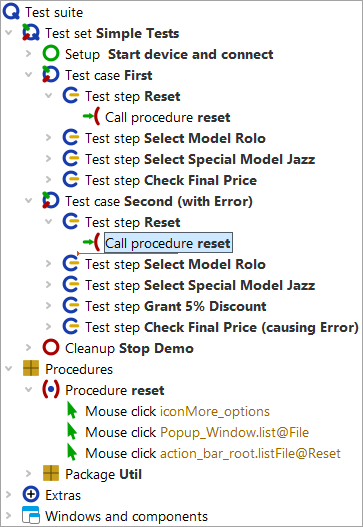
If you now run the test cases, they should work as before. In the log you can now also see the procedure calls and their execution.