
2.2 Recording Actions
Record some actions for the demo:
-
ActionPress the
 Record
button.
Record
button.
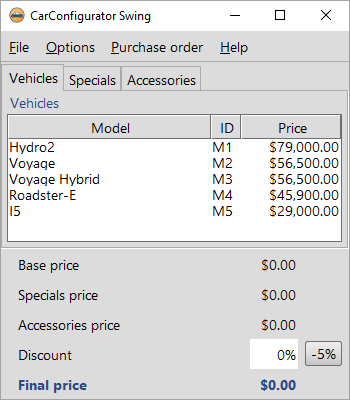
- Switch to the SUT application window. From now on every mouse and keyboard action performed within the SUT window will be recorded.
- Click to the table cell I5 in the last row.
- Change to the Specials tab of the tabbed pane.
- Choose the special Jazz from the combo box.
- Finally switch back to the Vehicles tab in the tabbed pane.
-
Stop the recording by use of the
 button.
The recorded sequence is placed in the "Extras" section:
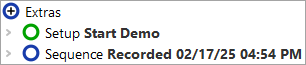
The recorded sequence has a default name with date and time of the recording. You can change this name as you see fit by simply clicking on the node and changing its properties in the details view on the right.
- ActionRename the recorded sequence to "Select Model I5 Jazz".
- Then open the sequence node to see its content. There should be the expected mouse clicks. You should even be able to interpret where they go to.
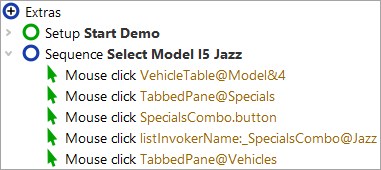
Now replay the recorded sequence.
- Action Select the Select Model I5 Jazz sequence node.
-
Press the play button
 .
.
You should now see exactly the same sequence of mouse events executed in the SUT as you recorded before.
The sequence is supposed to replay (even multiple times) without errors. You should see "Finished: No error" in the bottom right corner of your test suite window.