
32.3 Skipping nodes
The "Skip" functions extend the capabilities of QF-Test’s debugger in a way that goes beyond the functionality of standard programming environments. As the name suggests, the "Skip" operations allow skipping one or more nodes during the test run, i.e. jumping ahead without executing them. This can be useful for various reasons, e.g. to quickly reach a certain position in your test flow or to skip a node currently causing an error.
At the end of the last section we made the first test step in the second test case the active node. This is the starting point for our next action:
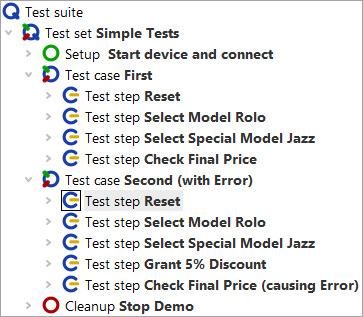
-
Now press the "Skip over" button
 .
QF-Test simply skips the active node without executing it or its child nodes. It then pauses at the next node to be executed on the
same level.
.
QF-Test simply skips the active node without executing it or its child nodes. It then pauses at the next node to be executed on the
same level.
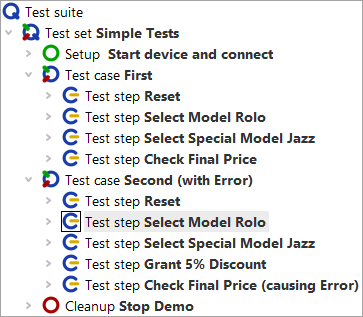
- Action
And finally the "Skip out" button
 .
You immediately see that QF-Test skips out of the current node without executing further child nodes.
.
You immediately see that QF-Test skips out of the current node without executing further child nodes.
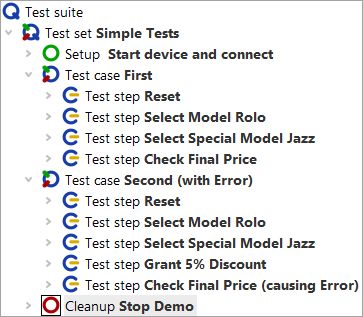
Note One remark about "Skip over" and "Skip out": Use these with care! Skipping out of a sequence before it has finished can leave your SUT in a state that other sequences or tests in the suite cannot build upon.