
28.9 Report Generation
In the world of quality assurance documenting test results is important. To this end, QF-Test offers an automated report-generation feature. Since you've just done a test run, we're at a good point to show you this feature.
- ActionPlease open the run log and
- select »File«-»Create report...«.
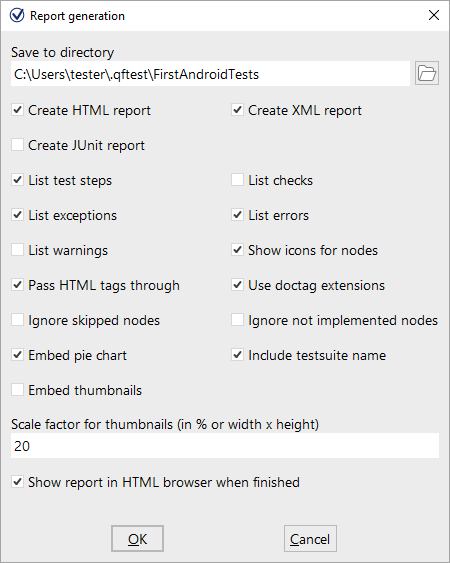
In the first field, you can specify the file name of the report. Following this, you can decide what type of report you want. QF-Test offers three kinds of reports, HTML, XML and JUnit format. An XML report is useful if you want to process the data further, e.g., if you have written your own XSLT stylesheets to shape the report. JUnit reports prove useful when you need to import results into build or test management tools.
Let's generate an HTML report from the results of the last test run.
- ActionJust leave the report options unchanged.
- Start generation by pressing the OK button.
The report will then be generated and presented to you in a browser window:
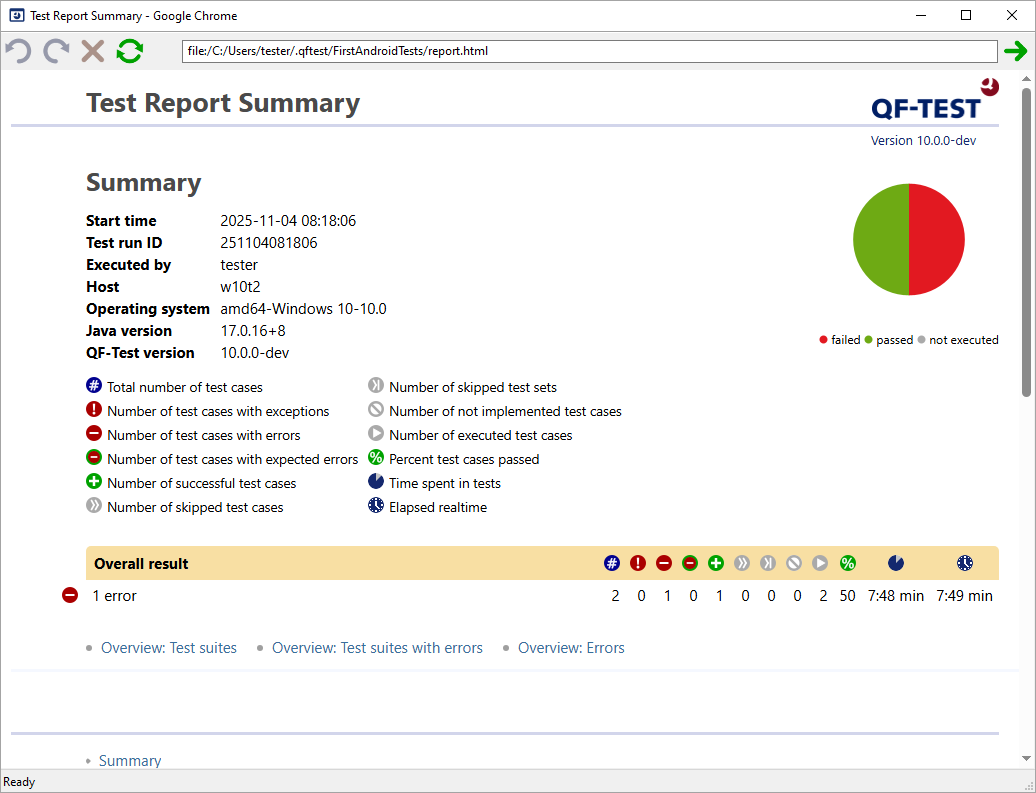
The report begins with a summary containing informational data from your system on the top left side, a legend describing the meaning of icons used in the report on the top right side, an overview pie chart in the middle and the overall test result below. In our case, one error-free test case and the second with the well-known error, leading to a success rate of 50%.
Following the summary there are three overview sections:
- Test suites that have been executed within the test run.
- Test suites in which errors occurred.
- Errors including their exact position and detailed message.
The report generator is very useful for creating an overview document for presentation and archiving purposes.