
6.0+Android43.6 Android
The following options influence the testing of Android applications.
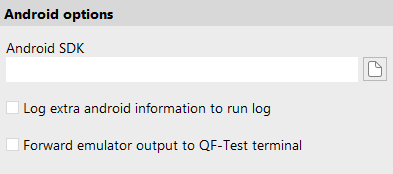
- Android SDK (System)
- Server script name:
OPT_ANDROID_SDK_PATH
Enter the installation path of the Android SDK here. This directory is usually named
sdkand contains a subdirectorytoolsorcmdline-tools.This setting is only necessary if QF-Test can not determine the path automatically.
- Log extra android information to run log (System)
- Server script name:
OPT_ANDROID_DEBUG
If this option is activated further information is logged in the log.
- Forward emulator output to QF-Test terminal (System)
- Server script name:
OPT_ANDROID_FORWARD_EMULATOR_OUTPUT
If this option is activated and an emulator was launched via the Launch Android emulator node, then the stdout/stderr output of the launched emulator will be passed on to the QF-Test terminal.
- 11.0.0+Android Screen mirroring via video stream (System)
- Server script name:
OPT_ANDROID_VIDEO_STREAM_ENABLED
When this option is enabled, the recording window displays the Android device screen as a live video stream, resulting in a significantly smoother and more responsive preview compared to the default periodic screenshot updates.
When disabled, QF-Test falls back to updating the recording window with periodic screenshots.
This option applies to Android devices only.