 Web Testing
 Java Testing
 Windows Testing
 Mobile App Testing
 AI-driven Testing
 PDF Testing

Web UI Testing
Web applications cross browser on
- Google Chrome, Firefox, Microsoft Edge, Opera or Safari
- Headless Browser Version of Chrome, Firefox and Edge (Chromium based)
- Electron Apps
- Mobile applications via the Mobile Emulation Mode
- Automated Web Accessibility Testing
- Web API Testing

Java UI Testing
All Java technologies
- Swing, AWT
- JavaFX
- SWT, Eclipse Plug-Ins
- RCP, WebStart
- RIA, JIDE, ULC, Captain Casa
- Hybrid applications embedded browsers via JxBrowser, SWT-Browser or JavaFX WebView
- Native Java applications in the browser with JPro or Webswing

Windows UI Testing
Testing Windows Desktop applications
- Classical Win32 applications
- .NET applications (often developed in C#) based on Windows Presentation Foundation (WPF) or Windows Forms
- Windows Apps / Universal Windows Platform (UWP) applications using XAML controls
- Modern C++ applications (for example Qt applications)

Mobile UI Testing
Android and iOS Apps
- Testing of all popular Android versions starting from Android 7 on real devices and the Emulator of Android Studio
- Testing of iOS versions from iOS 15 onwards on real devices and Xcode simulator

AI-powered test automation
QF-Test connects with AI models to automatically generate test cases and independently execute test scenarios through Agentic Testing. The MCP server integration allows connecting to external AI agents.


Cross-platform Java automated testing on Windows, Linux and macOS
Have a look at QF-Test
Facts & Features

Record, Replay & Edit
Creation of automated tests without programming
You can create and replay your first tests easily via record/replay without needing any programming skills. The tests are fully editable with our low-code interface and can be modified at any point in the execution path. The test run is presented in a clear tree structure.

Robust component recognition
Stable Automated UI testing
QF-Test masters complex elements like dynamic trees and tables. The tests are tolerant to UI changes. The sophisticated recognition mechanism leads to extraordinary maintainability and low maintenance effort, the most important factor in software test automation. Thanks to the new SmartIDs, objects such as buttons or text fields are addressed even more directly and it’s even possible to write tests before an application is fully developed (Test-driven development).
Flexibility via scripting
Jython, Groovy and JavaScript
QF-Test is based on Java this is the reason, so you can create tests in the common scripting languages Jython, Groovy and JavaScript. Any Java Code or JavaScript code is executable in the browser. They enable you to carry out complex checks and actions.

Daily monitoring ensures fast and high quality
Daily monitoring ensures fast and high quality. From the start of the project, daily monitoring ensures the quality of the existing functionalities through automated tests. Any errors that occur are quickly detected and can be corrected in a timely and cost-effective manner – before time-consuming refactoring or delivery of the software (faster ROI).

Backward compatibility of versions
QF-Test supports technologies in the long term and ensures stable tests and high quality for you in the long term. This makes your investment in test automation sustainable – something our many long-standing customers appreciate very much.

PDF documents can be tested like a normal application with any developer license independent of the UI. Textual and graphical checks for individual elements are common. There are algorithms also for fuzzy image comparisons.
Continuous Integration & 3rd Party Tools

Using XML as its primary data format and offering various interfaces (batch execution via command line, daemon mode, scripting, REST, standard reports), QF-Test enables flexible integration with other tools, for example in the following areas:
Integrations |
Products |
|
|---|---|---|
| e.g. Jenkins, GitLab CI/CD, Bamboo, Travis CI, Circle CI, TeamCity, Ant, Maven, CruiseControl | |
| Virtual desktops | e.g. Citrix, VMware, VirtualBox |
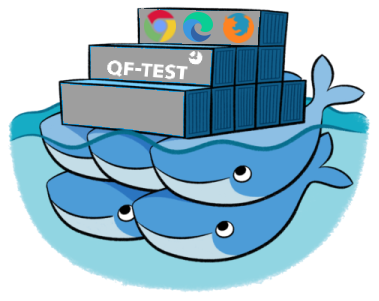
| Docker containers | QF-Test supports containerized Testing via Docker |
| Version control | e.g. Git, SVN/Subversion, CVS, Mercurial |
| e.g. Q12-TMT by mgm technology partners, OpenText QualityCenter by OpenText, TestBench by Imbus, QMetry, TestLink, IBM Rational Quality Manager | |
| JIRA | and JIRA PlugIns like TestRail, Zephyr, X-Ray, TM4J via REST |
| Data Driven Testing | with Excel, CSV and all kind of data bases |
| Error tracking | e.g. JIRA, MantisBT, Bugzilla |
| Java in the browser | Webswing, JPro |
| Load and performance tests | via daemon mode or tools like NeoLoad |
| Connection to the Robot Framework | QF-Test procedures can be called as Robot Framework keywords |













Keyword-driven testing allows the execution of test cases directly without having to create them in QF-Test. Text steps can be read and executed from a planning document or the specification, e.g. Excel or another test management tool.

Tools for behaviour driven testing like Cucumber can easily be integrated into QF-Test. Using this approach allows testers to describe test cases more or less in continuous text and sentences. But the tester needs to follow a predefined vocabulary at the beginning of the sentence.

Flexible integration of internal or external data, e.g. from CSV and Excel files or direct database access. Other data sources can be integrated via script extension, allowing a test case to be executed exhaustively with an array of data variants.

Modularization without programming. Recurring actions can be modularized in procedures making adaptations only necessary in the procedures (no redundant test-”code” or maintenance trap). These are highly reusable through parametrization.
Error analysis and Reporting
Detailed run logs with debugger functionality in HTML and XML format for an effective error analysis including screenshots of the error situation. Automatic error handling, which grants continued execution of the whole test collecting errors in a single report. Verification points as standard checks or custom checks (via scripting).

The modular structure of the tests and an import mechanism for the component information enable smooth team work.

The Quickstart Wizard helps to set up your first tests in a few steps, recognizing the right technology automatically.

The tests can be executed on a remote device which might run in a daemon mode.

























































Interested in QF-Test?
Tell us about your project, and we’ll personally show you how QF-Test can support you.

- Professional software test automation of Java, Web, Mobile Apps and Windows applications.
- Good price performance ratio and high ROI.
- Easy start and user friendliness.
- Robust tests with reliable recognition and low maintenance effort.
- Competent and fast support by our testers and developers.


