Utiliser QF-Test dans des systèmes Continuous Integration
Les systèmes d’intégration continue (CI-Systems) soutiennent les équipes dans leur travail constant sur les différentes sous-étapes du processus de développement logiciel. L’objectif principal étant l’amélioration de la qualité des logiciels.
Veni, vidi, variavi – Utiliser des variables
There‘s no way around using variables if a test suite has to to be flexible, reusable, and elegant. But where are variables set? Which value of the variable is used if I defined multiple ones at different positions? And how can I find out? This article aims to answer these questions.
Des nouvelles sur les QF modules print(…) et println(…)
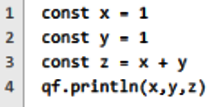
If you are working with QF-Test scripting nodes, no matter whether you prefer Jython, Groovy or JavaScript, you will come across the QF module sooner or later. This module, accessible in all script nodes and script terminals via the variable qf, holds a bunch of helper methods designed to make the life of a script programmer easier.
Quelque chose ne fonctionne pas avec QF-Test
You are working with QF-Test and something doesn’t work as expected? Then you can (as usually) search the Internet or do research at StackOverflow… A faster way is going on our channels …
Pas d’evénements basés sur des coordonnés et pas de dames basées sur des images! QF-Test est plus intélligent! Partie I
Some days ago I had the pleasure to visit a Meetup Venue here in Leipzig, Germany. The topic was very interesting - “Experience with the introduction of Test Automation”. Many of the participants consider Web UI testing very fragile and cumbersome to keep in “Tests OK” status that’s why I I decided to write this series with the topic: No coordinates based Events and no Image based checks! QF-Test is smarter than that!
Marquer les nœud avec des couleurs
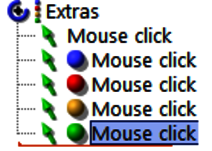
In order to simplify test suite editing it is possible to assign colored marks to nodes. This feature is especially (but not only) helpful in the context of complex find and replace operations - in this case, the color markers can for example be used to indicate that a node still needs revision or that a node was edited successfully.
Des Mouse Events dans les applications web
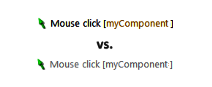
QF-Test uses semi-hard events as default (based on web framework, browser and browser version, OS etc), but not all cases. There are three event types available.
Désactiver un nœud
In some cases it is helpful to disable nodes temporarily. Here is a short article how to do this.
Écrire vos propres vérificateurs
While testing an application, one of the most important steps is to verify that the actual state of the application is correct.
Accéder des sous-éléments des composants UI
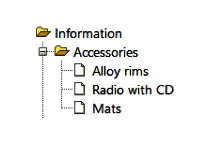
In most cases we are dealing with more or less straight-forward UI components,such as buttons and text fields. Nevertheless we often have to deal with morecomplex UI components like trees, tables and lists too. These UI components have sub-items.
Cryptage des mots de passe
Les informations sensibles comme les mots de passe doivent être traitées avec précaution. Cependant, il arrive souvent que les tests doivent remplir un formulaire de connexion et qu’ils nécessitent donc de connaître le mot de passe.
Créer des rapports HTML/XML/Junit personnalisés
Via le run log, QF-Test fournit un journal détaillé des actions exécutées pendant un test. Les résultats globaux de ce journal peuvent être résumés dans d »autres rapports comme le rapport HTML/XML/Junit.
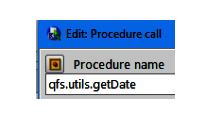
Comment créer un appel de procédure?
Procedures (also called function or subroutine) may be used in order to solve often (re-)occurring challenges.
Capture & Relecture
Even in early stages of development Capture & Replay offers a easy way to create tests. An early start of such regression tests and the assignment of unique names / IDs are the most important bases for efficient (due to stable recognition) test automation.
Utiliser QF-Test comme calculateur
Sometimes it is necessary to perform mathematical calculations in QF-Test, e.g. in order to calculate the expected height of a UI element in dependence of the complete window size or the exact clicking position for a mouse click.
QF-Test et l’analyse de couverture de code client Java
Un pourcentage élevé de code exécuté indique une faible probabilité de bogues logiciels non détectés.
Nous utilisons des cookies "Matomo" pour l'évaluation anonyme de votre visite à note page web. Pour cela nous avons besoin de votre consentement qui est valable pour douze mois.
Nous utilisons des cookies fonctionnels pour garantir la fonctionnalité de base du site web.
Nous utilisons Matomo pour analyser et améliorer notre site web. Des cookies permettent une collection anonyme des informations qui nous aident à vous offrir un visite clair et facile à utiliser de nos pages web. Activer les cookies Matomo