Something doesn’t work in QF-Test
You are working with QF-Test and something doesn’t work as expected? Then you can (as usually) search the Internet or do research at StackOverflow… A faster way is going on our channels …
No coordinates based Events and no Image based checks! QF-Test is smarter than that! Part I
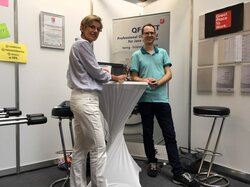
Some days ago I had the pleasure to visit a Meetup Venue here in Leipzig, Germany. The topic was very interesting – “Experience with the introduction of Test Automation”. Many of the participants consider Web UI testing very fragile and cumbersome to keep in “Tests OK” status that’s why I I decided to write this series with the topic: No coordinates based Events and no Image based checks! QF-Test is smarter than that!
Mark nodes via colors
In order to simplify test suite editing it is possible to assign colored marks to nodes. This feature is especially (but not only) helpful in the context of complex find and replace operations – in this case, the color markers can for example be used to indicate that a node still needs revision or that a node was edited successfully.
Mouse Events Explained – Web
QF-Test uses semi-hard events as default (based on web framework, browser and browser version, OS etc), but not all cases. There are three event types available.
Standard training via Webinar (German) June 24 – 27, 2019
From June 24 – 27, 2019 it takes place every day from 10 to 11.30 CEST and 14 to 15.30 CEST. Just register via webinar@qftest.com.
Disabled node
In some cases it is helpful to disable nodes temporarily. Here is a short article how to do this.
Early Access for QF-Test/win
You have a Windows application with Win32, .NET, Windows Forms, WPF, Windows to test? Then try QF-Test in the Early Access version.
Early Access for Windows Applications
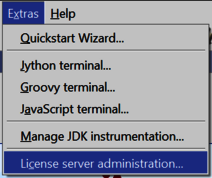
“license”, “license.new”, “license.txt”, “license.dat”, “license.old”, “license.server” … Who’s gonna know about that?
Indeed, it is quite confusing if you would take a look how the supposed license files attached to emails are arriving. Although it is actually quite simple …
Writing your own checkers
While testing an application, one of the most important steps is to verify that the actual state of the application is correct.
If you want to work in Germany, come to us
QFS (Quality First Software GmbH) is one of the best employers of the ITC industry in Germany and also in Bavaria. We are located in Leipzig and in Geretsried (that’s between Munich and the Alps at the Isar river) and have won the Great Place to Work award already two times now.
Variables in QF-Test
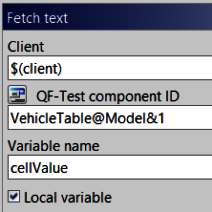
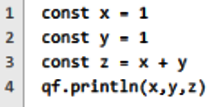
What are variables in QF-Test for? Reading of test data, retreating test data during the test run, reusing of a check for a better test flow for more flexible and maintainable tests.
We are a “Great Place to Work”
We proudly announce that we were awarded as “Great Place to Work” and won first prize in the categories “Best employer of ICT industry” and “Best employer in Bavaria”.
Accessing sub-items of UI components
In most cases we are dealing with more or less straight-forward UI components,such as buttons and text fields. Nevertheless we often have to deal with morecomplex UI components like trees, tables and lists too. These UI components have sub-items.
Webinar especially for QF-Test version 4.5 with Pascal Bihler
What’s new in QF-Test version 4.5? Mobile Emulation Mode, Testing Electron etc.
Password encryption
Sensitive information like passwords should be treated with care. However often tests need to fill out a login form and thus these tests require to know the password.
Creating custom HTML/XML/Junit reports
Via the run log QF-Test provides a detailed log about the actions it executed during a test run. The overall results of this run log can be summarized in other reports like the HTML/XML/Junit report.
How to create procedure calls
Procedures (also called function or subroutine) may be used in order to solve often (re-)occurring challenges.
Capture & Replay
Even in early stages of development Capture & Replay offers a easy way to create tests. An early start of such regression tests and the assignment of unique names / IDs are the most important bases for efficient (due to stable recognition) test automation.
Medium Upgrade QF-Test 4.5 Released
Highlights of this medium upgrade include testing of Electron applications, support for Java 12, configuration of mobile browser emulation directly in the Quickstart Wizard and Eclipse/SWT applications without instrumentation.
We use "Matomo" cookies to anonymously evaluate your visit to our website. For this we need your consent, which is valid for twelve months.
We use functional cookies to ensure the basic functionality of the website.
We use Matomo for analyzing and optimizing our website. Cookies permit an anonymous collection of information that help us offering you a clear and user-friendly visit of our web pages. Enable Matomo cookies